

Description
LICENSE – LIFE-TIME NON-FLOATING
Description:
This license allows you to use the script for LIFE-TIME on a single machine.
✅ Full feature access
✅ Cost-effective life-time usage
🔒 Bound to one system (non-transferable)
💡 Great for individuals or studios working on a dedicated machine
- To activate the tool, a license is required. Please follow the steps below to generate and send your Response Key:
- 1. Unzip the MakeWalk_Basic.zip file.
- 2. Inside, you’ll find a file named install.mel.
- 3. Drag and drop install.mel into your Maya viewport. This will add an icon to your shelf.
- 4. Click the newly added icon. A window will appear displaying your Response Key.
- 5. Email this Response Key to animfxtools@gmail.com to receive your one year license.
- Looking forward to your Response Key.Maya MakeWalk Tool Explanation https://youtu.be/2dP0be-fJrQ
This Python script creates a “MakeWalk” animation tool for Autodesk Maya that helps create a progerssive walk from a non-progressive walk cycle
Key features:
– Creates customizable walk cycles with any gait length
– Includes distance adjustment controls to tweak the walk
– Offers baking functionality to convert procedural animation to keyframes
– Supports multiple controllers for complex rigs
How to Use It
Basic Usage:
1. Run the script using the icon in the shelf
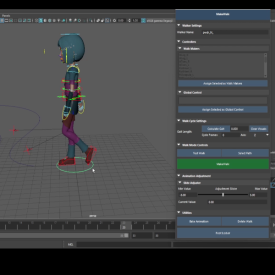
2. UI appears with several sections
Step-by-Step:
1. Set Walker Name:
– Enter a base name for your walk system in the “Walker Name” field
2. Assign Controllers:
– Select and assign “Walk Makers” (limb/foot controllers)
– Select and assign “Global Control” (main body/root controller)
3. Calculate Gait:
– Select two foot controllers
– Click “Calculate Gait” to measure stride length (distance between the two feet controllers when they are the maximum distance apart)
– Set “Cycle Frames” for walk cycle duration
4. Test and make walk
– Test Walk: Click “Test Walk” for straight-line walking
– Curve Walk:
– Select a NURBS curve path
– Click “MakeWalk” button
5. Adjustments:
– Use the slider to tweak walk distance/position
– Bake animation when satisfied
Additional Features:
– Clear visuals with the “Clear Visuals” button
– Delete entire walk system with “Delete Walk”
– Adjust min/max range for the distance slider
Tips:
– Start with simple tests before applying to complex rigs
– Use the slide Adjusttor slider in the first or the second step of the walk
– Bake animation before rendering final scenes
This tool significantly speeds up walk cycle creation in Maya, especially for repetitive or path-based walking animations.



Reviews
There are no reviews yet.