

Description
MakeWalk Full (Life-Time Non-Floating License)
LICENSE – LIFE-TIME NON-FLOATING
Description:
This license allows you to use the script for LIFE-TIME on a single machine.
✅ Full feature access
✅ Cost-effective life-time usage
🔒 Bound to one system (non-transferable)
💡 Great for individuals or studios working on a dedicated machine
- To activate the tool, a license is required. Please follow the steps below to generate and send your Response Key:
- 1. Unzip the MakeWalk_Full.zip file.
- 2. Inside, you’ll find a file named install.mel.
- 3. Drag and drop install.mel into your Maya viewport. This will add an icon to your shelf.
- 4. Click the newly added icon. A window will appear displaying your Response Key.
- 5. Email this Response Key to animfxtools@gmail.com to receive your one year license.
- Looking forward to your Response Key.Maya MakeWalk Tool Explanation https://youtu.be/2dP0be-fJrQ
What This Script Does
This Python script creates a “MakeWalk” animation tool for Autodesk Maya that helps create a progerssive walk from a non-progressive walk cycle
The tool includes features for:
– Setting up walk cycle controllers
– Calculating gait length
– Adjusting walk distance and timing
– Baking animation
– Foot locking utilities to prevent foot sliding
How to Use the Tool
Basic Usage:
1. Launch the Tool:
– Run the script by clicking the shelf icon
– The “MakeWalk Animation Tool” window will appear
2. Setup Walker:
– Enter a name for your walk system in “Walker Name”
– Select and assign controllers:
– “Walk Makers” – These are the foot/leg controllers
– “Global Control” – This is the main body/root controller
3. Calculate Gait Length:
– Select two foot controllers
– Click “Calculate Gait” to measure stride length (distance between the two feet controllers when they are the maximum distance apart)
– The tool will automatically calculate and display the gait length
4. Set Walk Parameters:
– Enter the number of frames for a complete walk cycle in “Cycle Frames”
– Select the walk axis (X, Y, or Z)
5. Create Walk Cycle:
– For a straight walk: Click “Test Walk”
– For a curved path walk:
– Select a NURBS curve
– Click “Select Path”
– Click “MakeWalk”
6. Adjustments:
– Use the distance slider to fine-tune the walk spacing
– Click “Bake Animation” when satisfied to convert to keyframes
Additional Features:
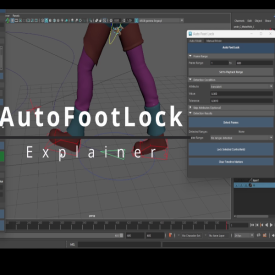
– Foot Locker: Click the “Foot Locker” button to access tools for fixing foot sliding
– Clear Visuals: Removes temporary measurement objects
– Delete Walk: Removes all nodes created by the tool
Foot Locker Tool:
The included Foot Locker tool helps prevent foot sliding by:
1. Detecting when feet are planted (based on attribute values)
2. Locking the foot to world space during those frames
3. Providing both automatic detection and manual frame range options
This tool is particularly useful for cleaning up walk cycles and ensuring feet stay planted when they should.



Reviews
There are no reviews yet.