


Description
ANIMATRIX VFX
Quick effects. Ready for your shot.
SHORT DESCRIPTION
Build expressive FX shots directly in Maya with 53 editable presets and a
procedural Debris toolkit. Combine energy effects, explosions, smoke and dust,
then shape individual elements with color, timing, size, opacity and keyframes.
Made for previs, animation previews and polished playblasts.
FULL DESCRIPTION
Bring impact, atmosphere and motion to your Maya shots.
ANIMATRIX VFX brings a library of animated effects and a flexible Debris
workflow into one interface. Choose a preset, create it in your scene and
adjust the result as you work. Build an energy attack, add a smoky impact,
scatter fragments across a set or send custom objects through a shot.
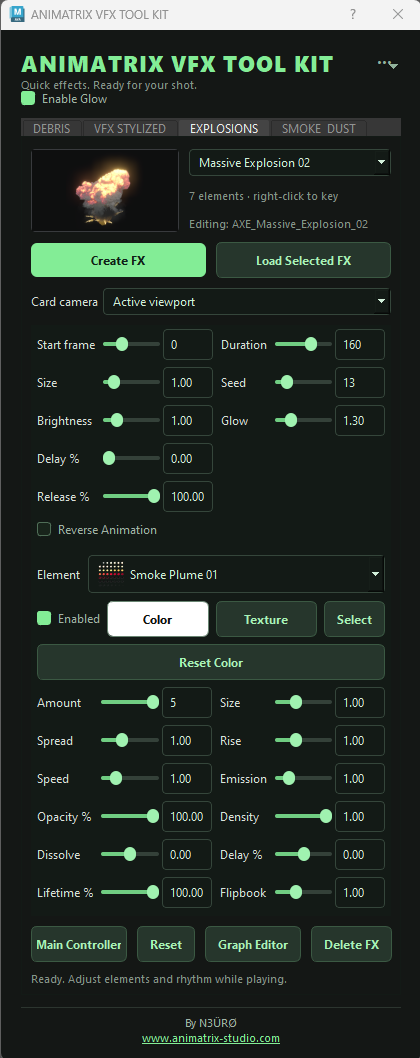
The library includes 53 presets: 40 stylized VFX, 8 explosions and 5 smoke
and dust effects. It combines procedural 3D effects with camera-oriented
animated cards for explosions and smoke/dust. Set the card camera to match
your shot and preview the result in the Maya viewport.
CONTROL EVERY ELEMENT
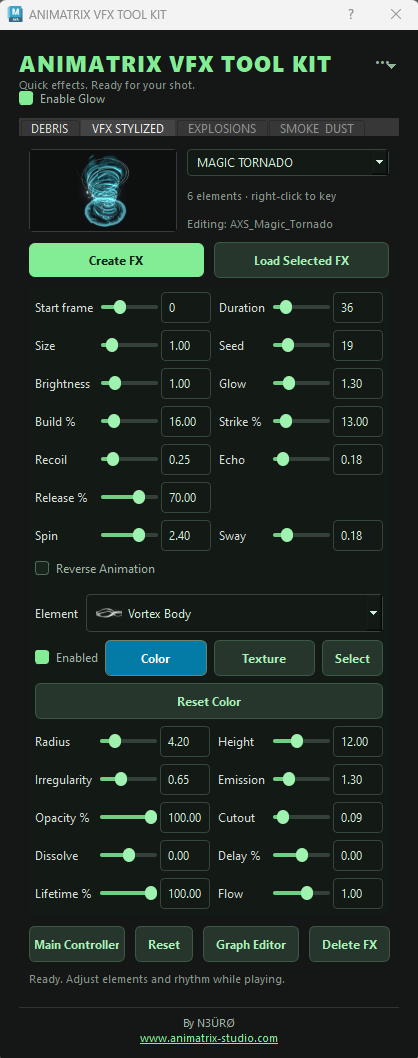
Make an effect fit your animation. Adjust the overall size, brightness and
timing, then choose individual elements to refine their shape, color,
opacity and timing using the controls available for that preset. Fade the
whole effect or one element, restore the original palette with Reset Color,
and toggle Reverse Animation before or after creation. Right-click supported
controls to set keyframes, then refine those keys in Maya’s Graph Editor.
BUILD DEBRIS AROUND YOUR SCENE
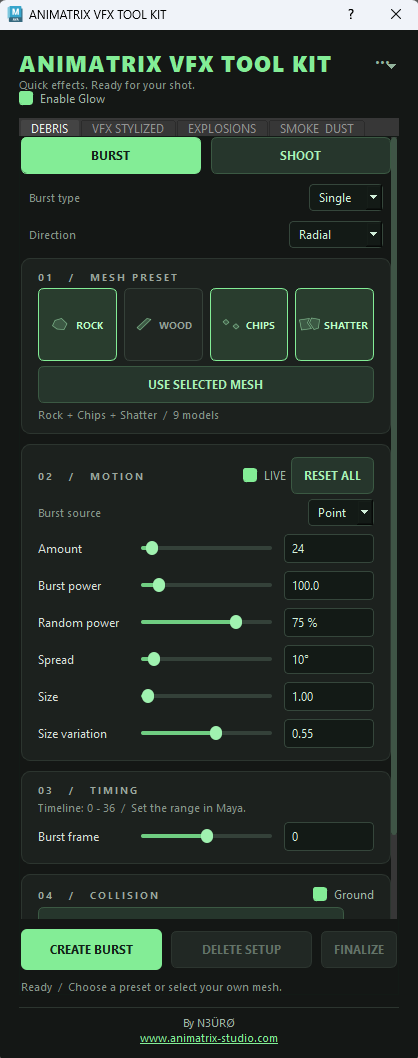
Create Single or Repeat bursts from a Point or Area source. Choose Radial
or Directional motion, mix built-in Rock, Wood, Chips and Shatter fragment
presets, or use your own polygon meshes. Shoot mode lets you emit custom
objects at frame-based intervals — useful for projectiles, shell casings
and repeated object motion.
The Debris system calculates procedural motion into ordinary Maya transform
keyframes. Adjust launch power, spread, variation and collision settings,
animate the emitter, then scrub the result. LIVE previews updates while the
full keys are calculated. FINALIZE preserves generated motion and materials
for the next stage of your shot.
PRESENT THE RESULT
Enable Glow adds viewport bloom through ANIMATRIX Native FX. Pair effects
with debris, choose your shot camera and create a playblast for review or
presentation. Interactive controls keep the workflow inside Maya; update
speed and playback performance depend on scene complexity and hardware.
FEATURES
* 53 editable FX presets: 40 stylized, 8 explosion and 5 smoke/dust effects.
* Per-element controls, colors, opacity and supported parameter keyframes.
* Reverse Animation and looping behavior for continuous presets.
* Camera selection for camera-oriented explosion and smoke/dust effects.
* Optional viewport glow and bloom with ANIMATRIX Native FX.
* Debris Burst, Repeat and Shoot workflows with Point/Area emission.
* Custom polygon meshes and built-in fragment presets.
* Keyframeable emitter controls and static environment collisions.
* Finalized debris with ordinary Maya transform keys and preserved materials.
* Drag-and-drop installation with an icon on your selected existing shelf.
REQUIREMENTS AND WORKFLOW
Windows 64-bit. This release supports Maya 2023, 2024, 2025, 2026 and 2027.
Viewport effects require compatible OpenGL Core Profile hardware/settings.
The FX presentation workflow is designed for Maya viewport and playblast use;
offline renderers require their own compatible shading workflow.
Debris collisions use the ground and selected static environment meshes.
They approximate piece shapes with oriented boxes; pieces do not collide
with one another. Simple proxy collision meshes are recommended for dense
environments. The built-in Shatter option is a fragment mesh preset.
Future Maya/Python releases may require an updated build. macOS and Linux
are not supported by this release.
INCLUDED
Installer, protected Windows application builds, FX assets, dependency
packages, license documents and an installation/user guide.
By N3ÜRØ — Animatrix Studio
https://www.animatrix-studio.com
Contact : animatrixstudioth@gmail.com







![[Pokemon: Let's Go] Green Trainer](https://animprops.com/wp-content/uploads/2020/10/Download_Icon-275x275.png)


Reviews
There are no reviews yet.