
Description
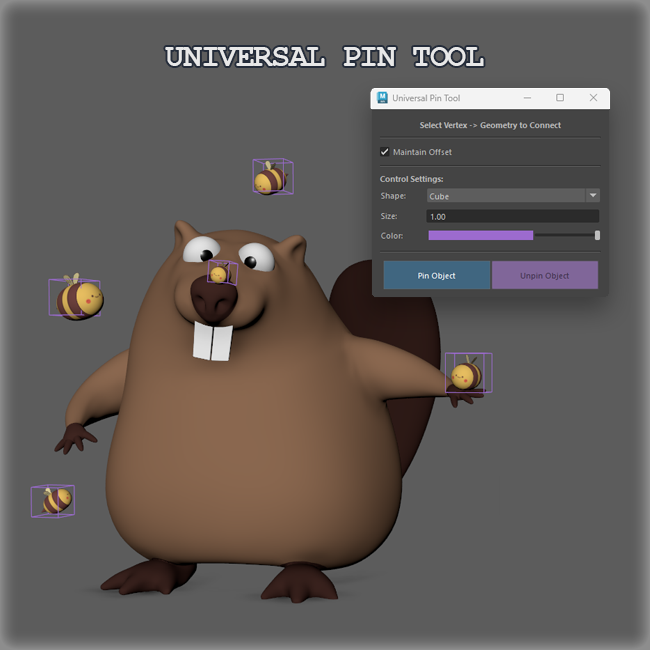
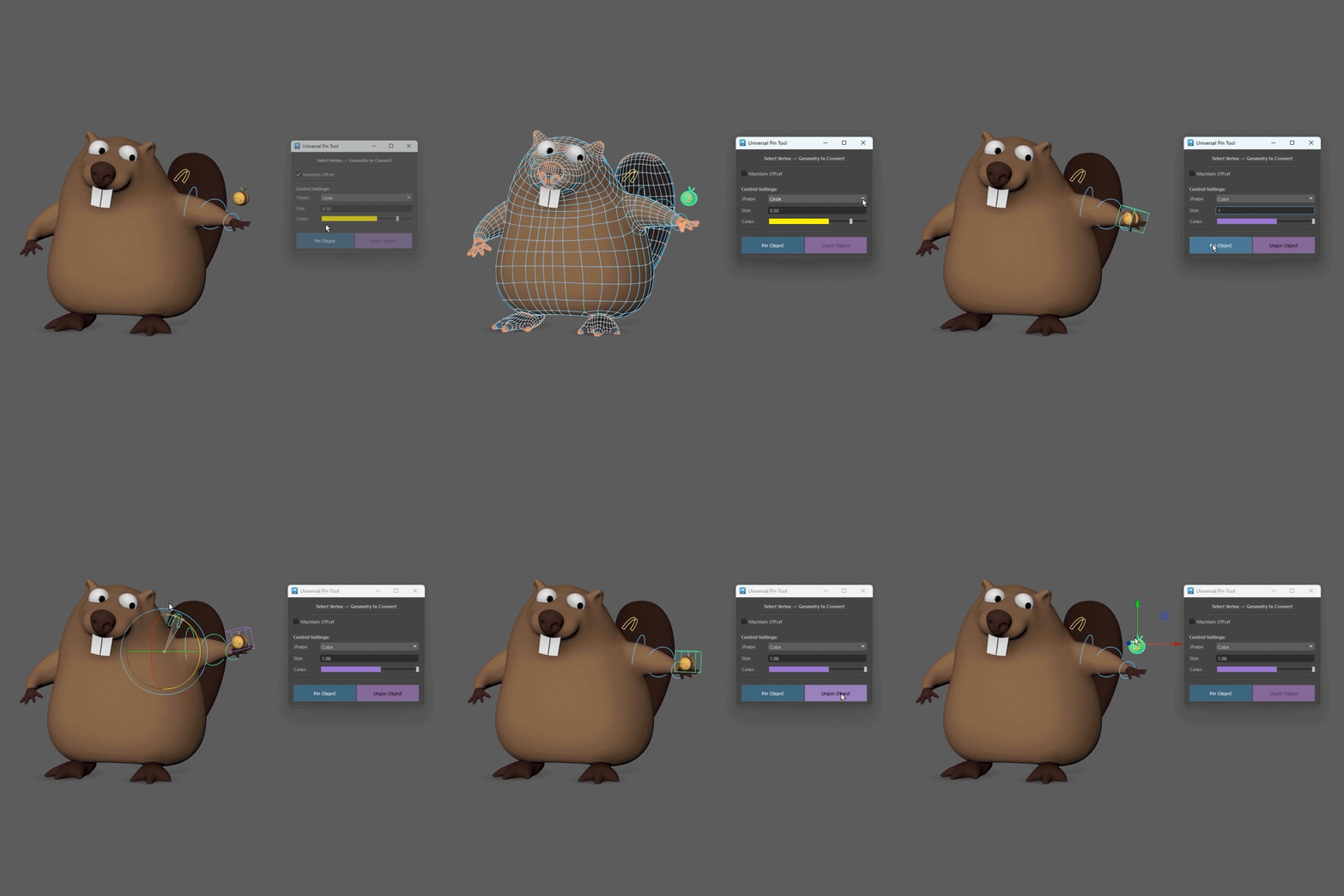
This tool creates a sticky rig that attaches a geometry object to a mesh vertex. It uses the UV Pin node to connect the object to the selected vertex, then automatically builds the controls, hierarchy, pivots and skinning needed for the setup. The rig can be easily removed at any time with the Unpin Object button.
How to use:
- Select exactly 1 mesh vertex on your base geometry.
- Shift/Ctrl-select exactly 1 geometry transform (the object you want to pin).
- Set your Maintain Offset preference, control shape, size and color.
- Click the “Pin Object” button.
- Select the pinned geometry then click “Unpin Object” to remove the rig.
Good luck 😉


Reviews
There are no reviews yet.